
How to Perform Project Period Closing in Oracle Cloud
Introduction
Closing a project period in Oracle Cloud is an essential step in financial management. This guide provides clear and detailed instructions on how to efficiently complete the project period closing process.
This blog provides detailed instructions on how to perform a project period closing in Oracle Cloud. Follow the precise steps below to efficiently complete the project period closing process.
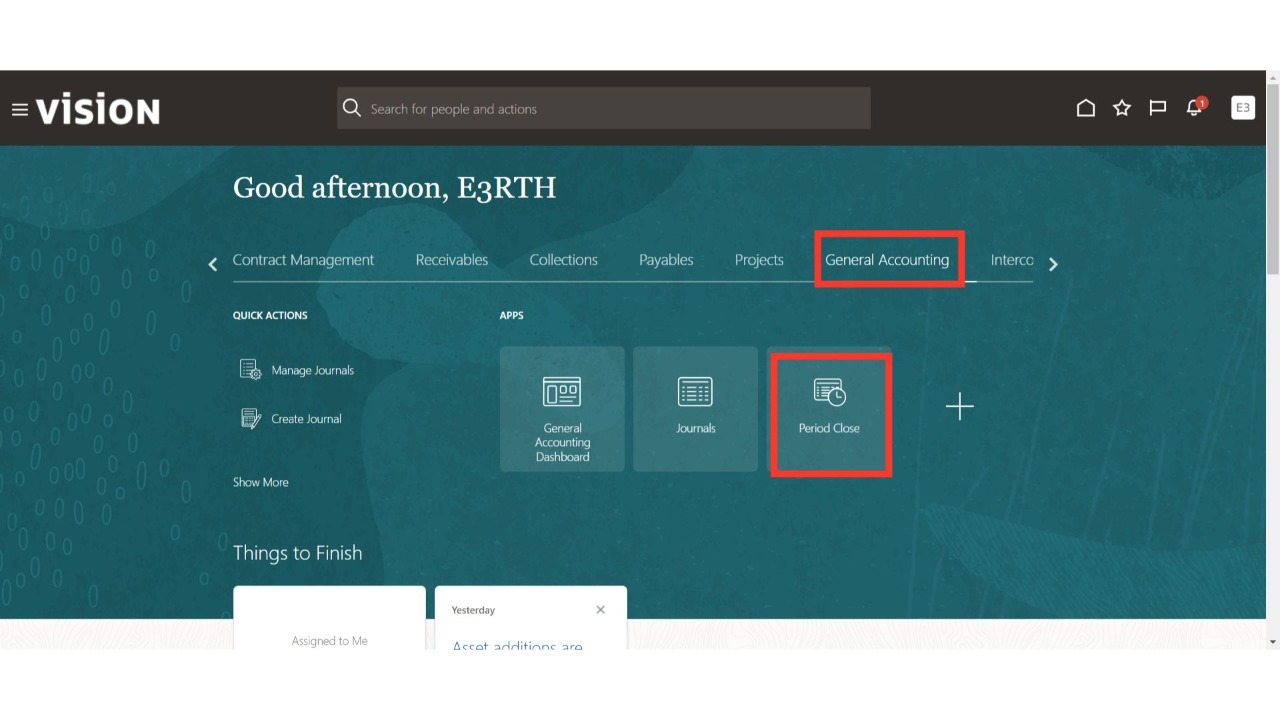
Navigate to the 'General Accounting' menu and select the 'Period Close' sub-menu.
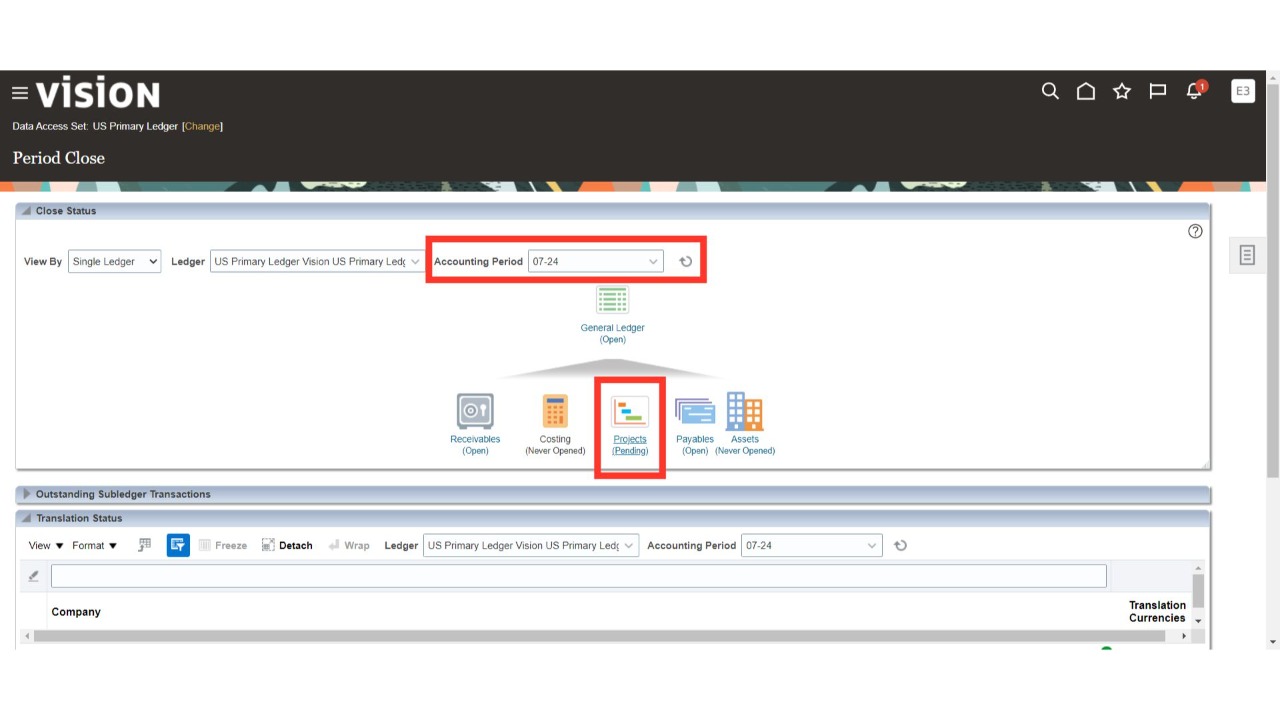
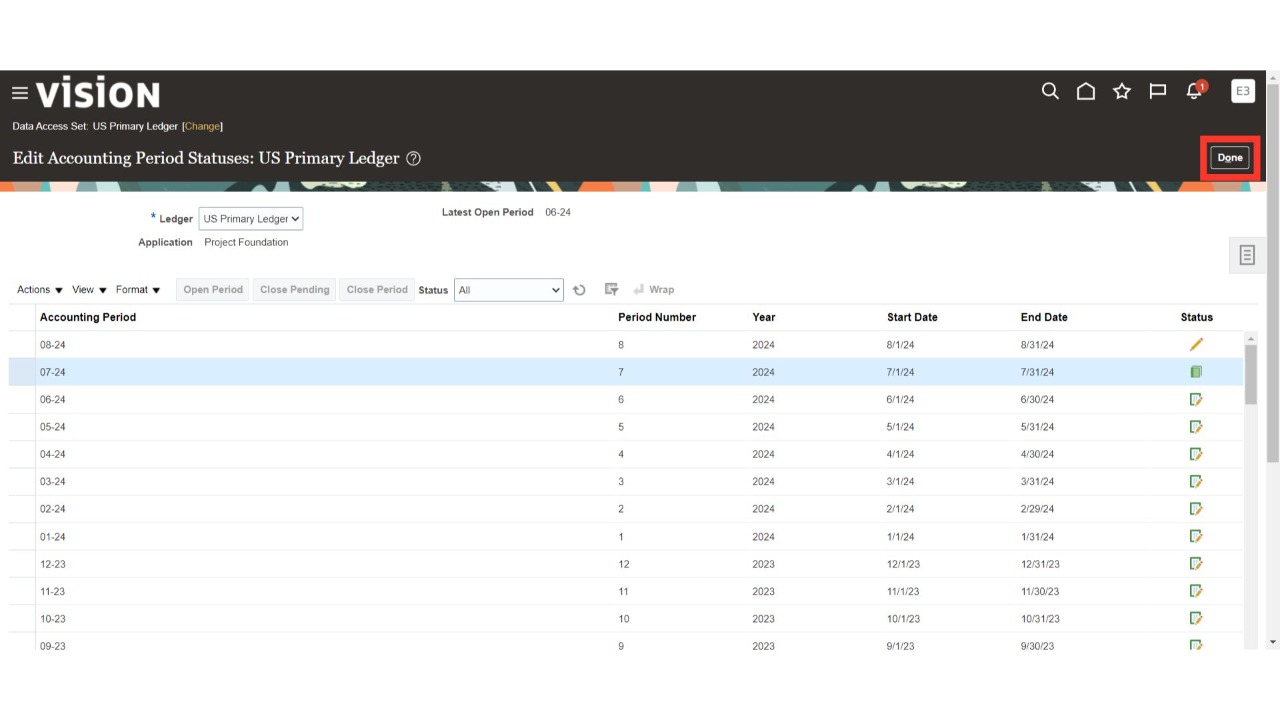
Select the period and Project sub-ledger that is currently set to 'Open' or 'Pending' status.
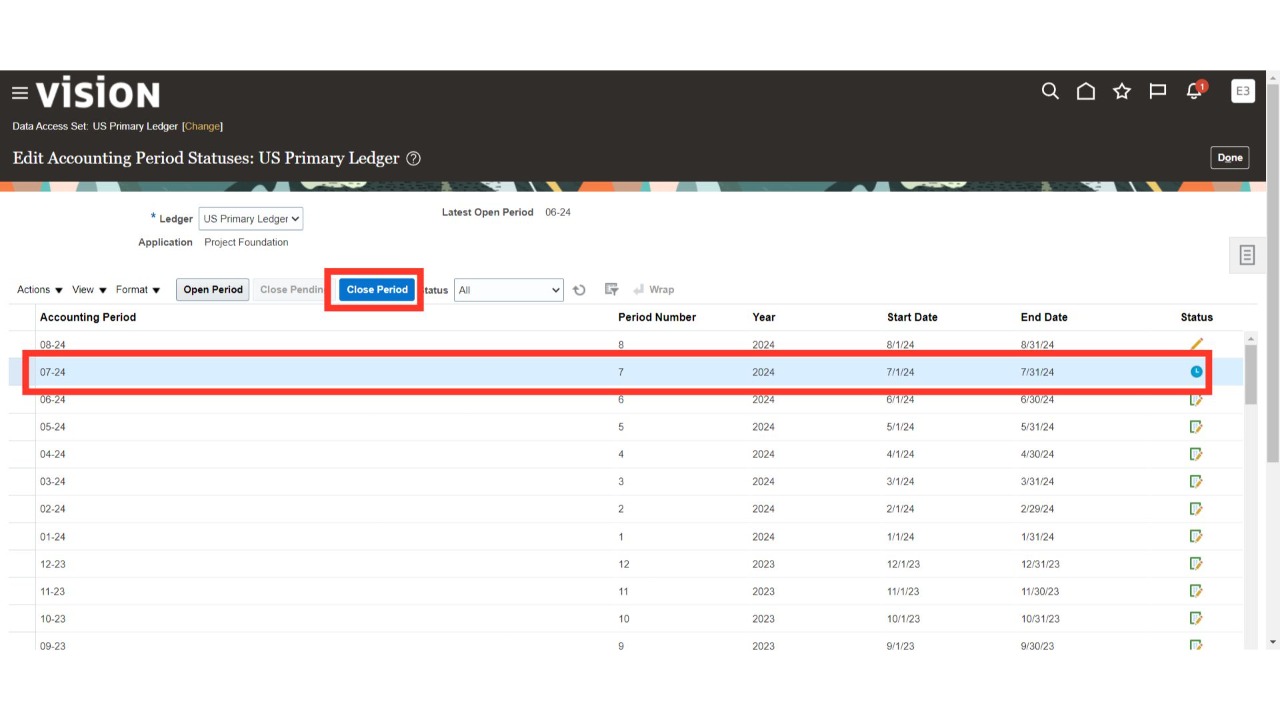
Select the project period with the 'Active' or 'Pending Close' status and click on 'Close Period' to close that period finally.
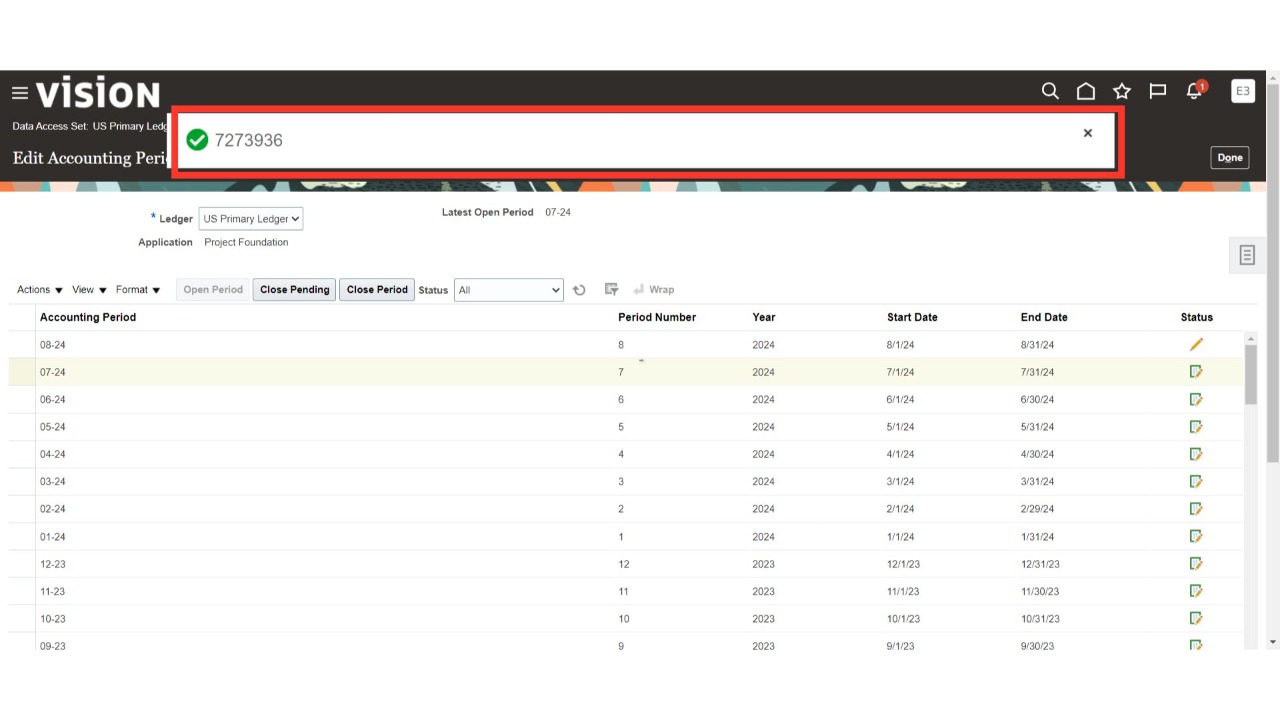
Oracle Cloud will initiate the process to close the period.
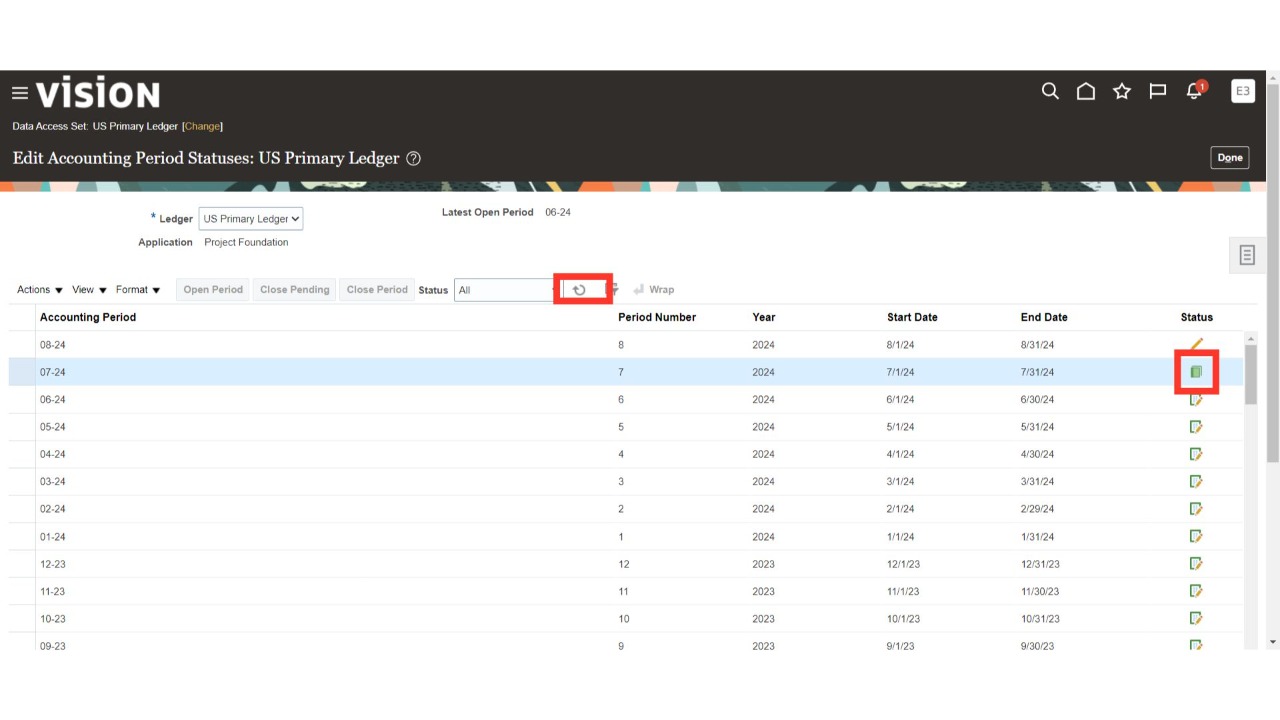
Click on the Refresh button until the period status updates to 'Closed'.
Select the 'Done' option to complete the process.
Thank You.